How Robovue works
Three steps, no procurement cycle — most teams are watching live data the same day.
Connect any bot
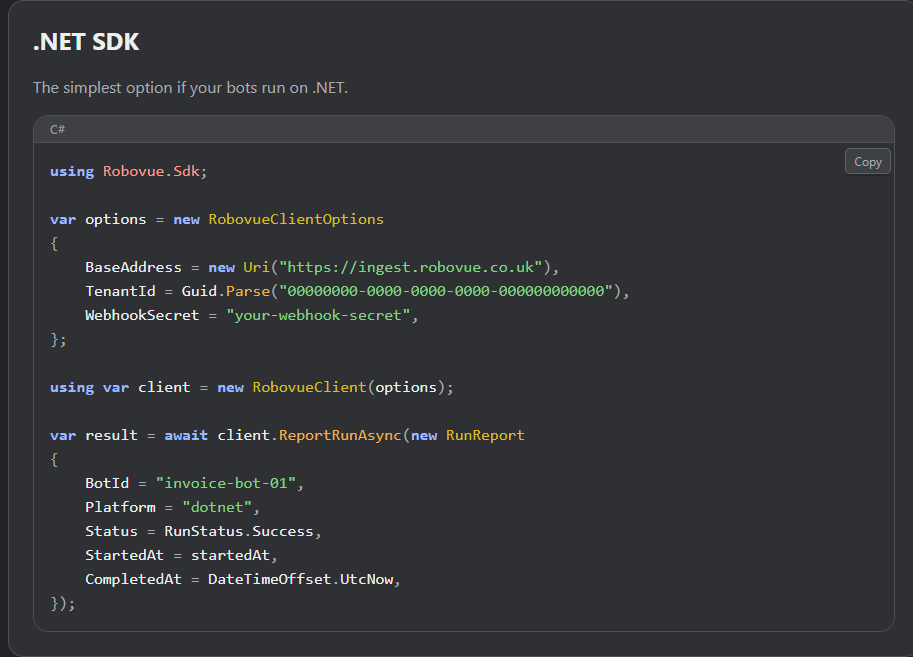
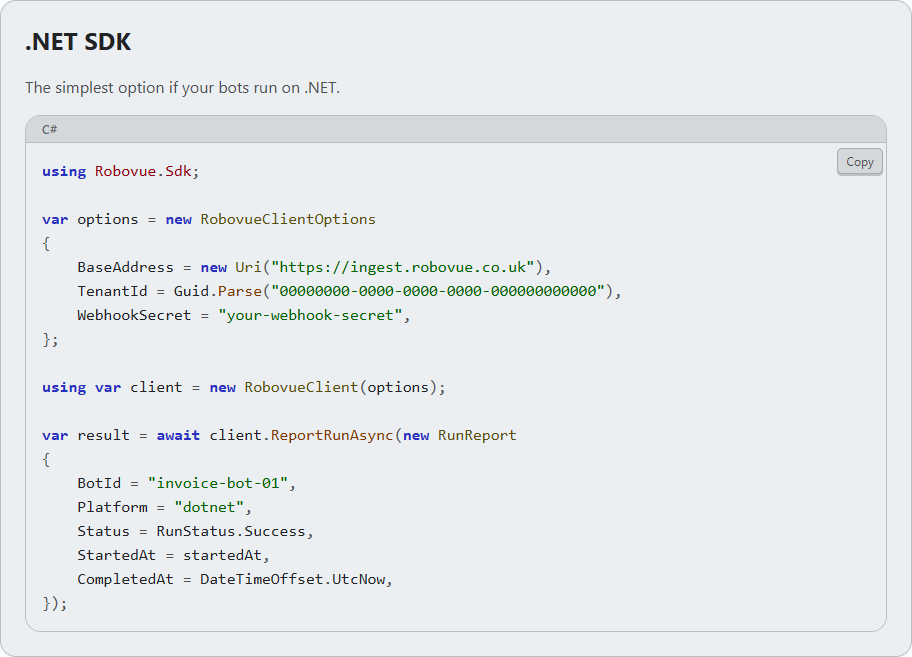
Point your bots at Robovue with our webhook API or the .NET/Python SDK, or use native integrations for UiPath and Automation Anywhere — setup takes minutes, not a procurement cycle.
See every platform in one dashboard
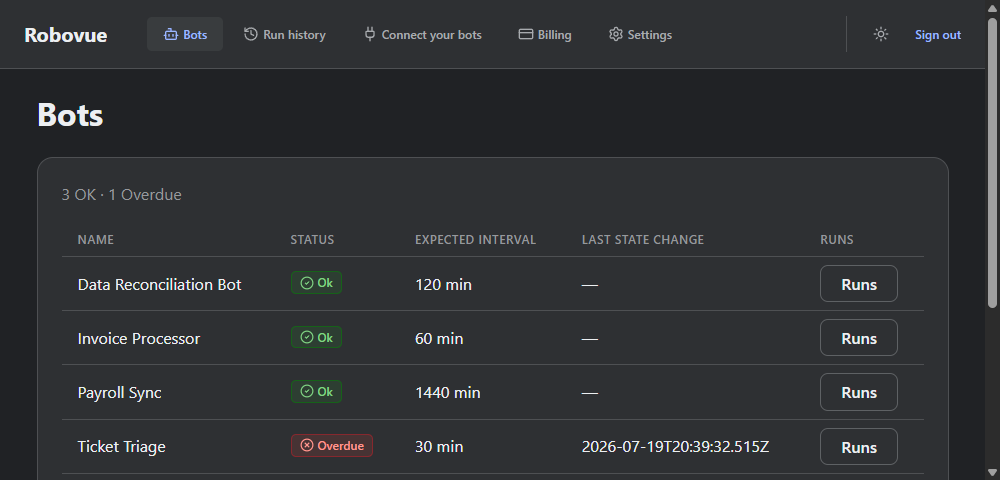
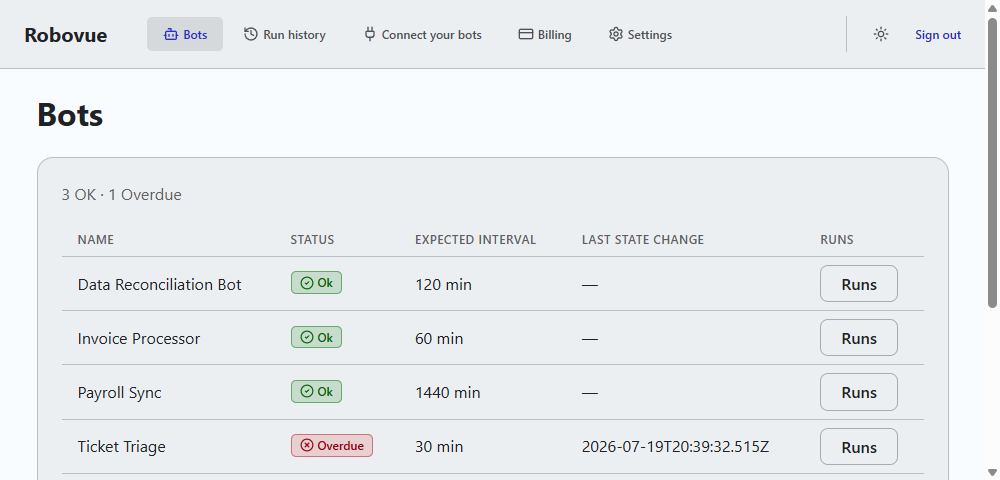
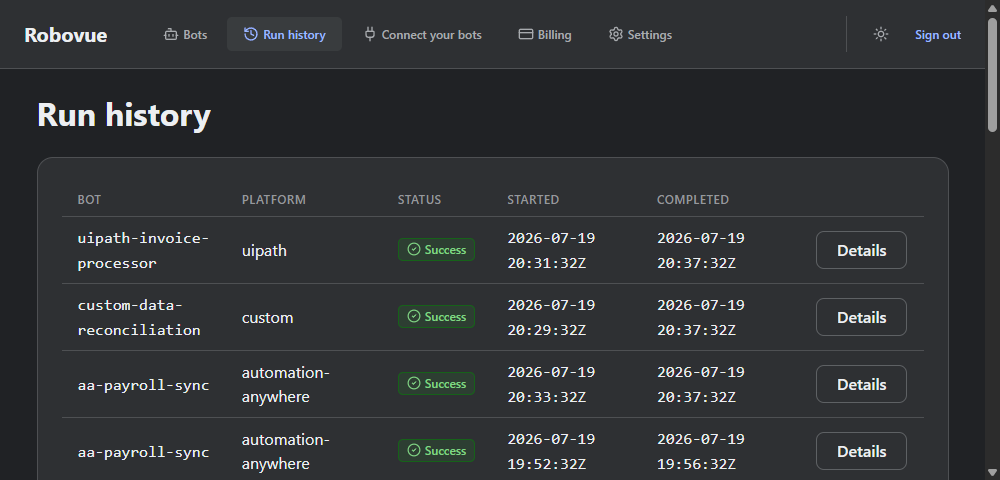
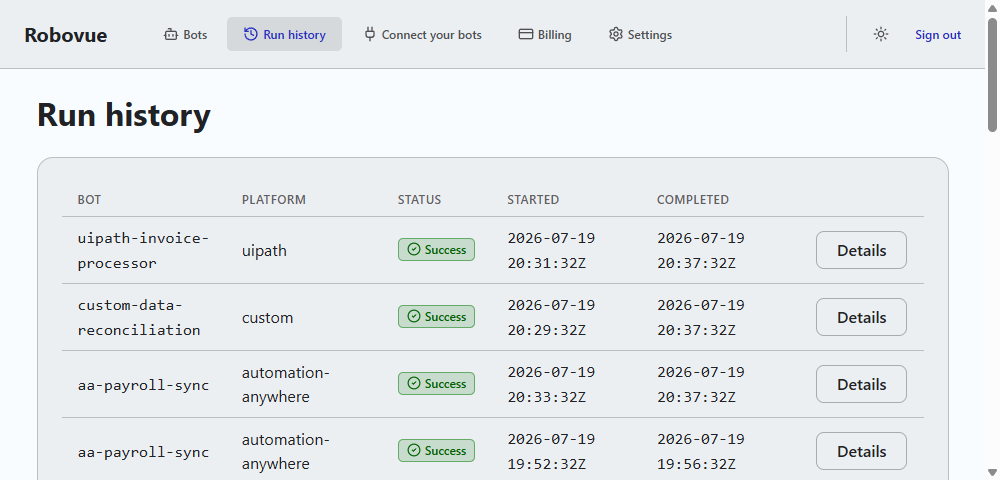
UiPath, Automation Anywhere, Power Automate, and custom bots all show up side by side — one status view, no logging into four different consoles.
Get alerted the moment one goes quiet
If a bot misses its expected check-in, Robovue emails you right away (Slack and Microsoft Teams on paid plans) — not whenever someone happens to check the dashboard.
Ready to see it live?
Create a free account and connect your first bot — no credit card required.
Get started free